
How CKey works
CKey is an optical code: a pattern of marks that a camera can read back as bytes, such as a link, a contact card or a paragraph. This page explains what it is, why it exists, and what each part of a symbol does.
An open code with room for design.
QR codes made it ordinary to point a phone at a printed square and land somewhere. CKey asks what that idea looks like when the code is designed in the open from the start: a specification anyone can read and implement, a reference core under the MIT licence, and a shape that can carry a brand’s colours and materials without breaking the parts a reader measures.
Its geometry combines a square grid of modules with a circular field of rings and rays around an open centre. The circular field gives a reader extra calibration marks, and the open centre leaves room for a logo at no cost to the data.
CKey is experimental. It is a pre-1.0 research project. Decoding works on rendered images and simulated camera frames, including blur, tilt and clutter, but it hasn’t yet been validated on a labelled set of real camera photos. No phone camera reads CKey on its own today.
The anatomy of a CKey.
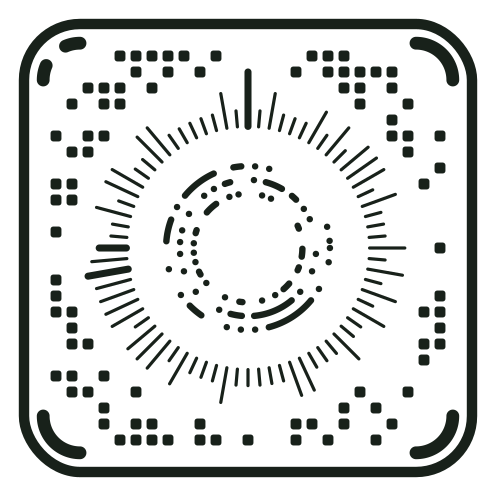
This is a real CKey, Profile 0 version 1, holding https://openckey.org. Every version shares the same skeleton; only the size of the marks changes.
Finding and orienting the symbol
- Frame. A rounded square that tells a reader where the symbol is and how it is tilted. It is identical at every version.
- Corner finders. Four quarter-circle arcs, one inside each corner, that pin down the corners precisely, even when the code is seen at an angle.
- Orientation corner. The top-left arc is split by a small gap. It is the one mark that isn’t symmetrical, so a reader always knows which way up the code is, however it is turned.
Telling the reader the size
- Grid Key. Four modules in a fixed position, drawn at the version’s own module size, so the reader can measure the grid before reading any data.
- Ray Keys. Three thicker rays of known lengths, at 12 o’clock and near 9 o’clock. They calibrate ray length and confirm the orientation.
- Ring Key. A fixed pattern of dots and one arc on the outer ring at 3 o’clock, spaced at the version’s ring spacing.
Carrying the data
- Dial rays. A circle of rays around the centre. Each ray is one bit: long for 1, short for 0.
- Data rings. Concentric rings of dots, joined into arcs where neighbours are both inked. Each position is one bit.
- Cartesian modules. Small rounded squares on a grid, filling the space between the frame and the dial. Each module is one bit.
Error correction runs through all of it
The content, its Reed–Solomon error correction and a CRC-32C checksum are scrambled evenly across every module, ray and ring position. A scratch or smudge damages a little of many bytes rather than all of a few, and the error correction rebuilds them. The checksum then confirms the result, so a reader shows nothing rather than something wrong.
One design, 31 versions.
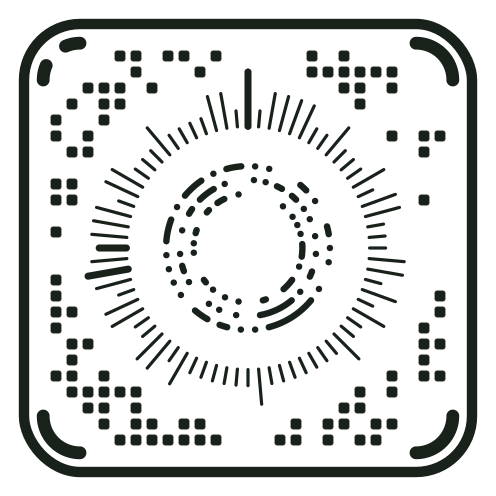
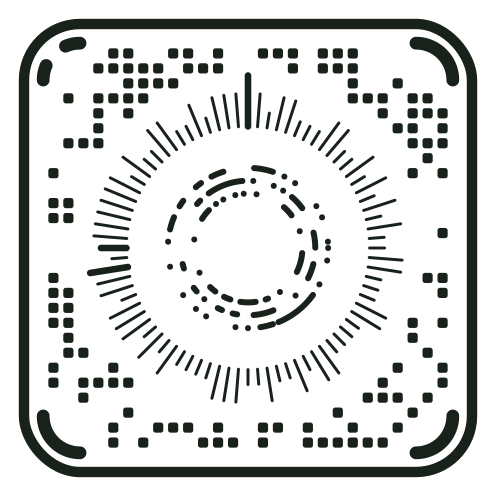
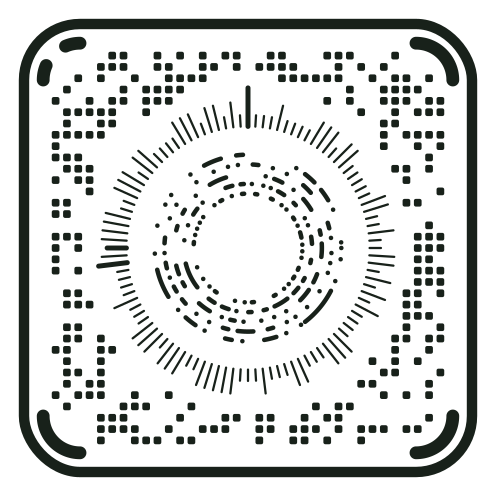
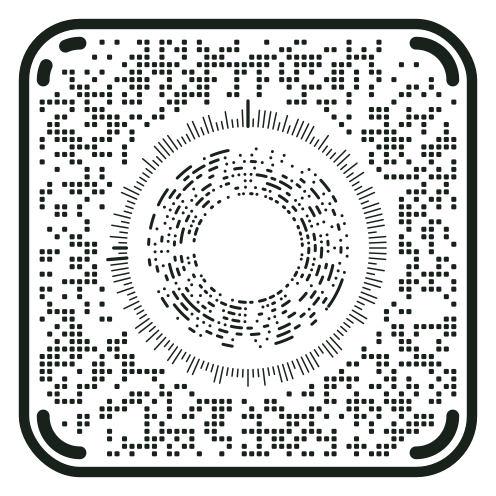
Profile 0 is a single family. As content grows, the encoder moves to the next version, with marks about 7% finer each step, rather than switching to a different-looking code. A short link stays a small, open symbol; a paragraph gets a denser one with the same frame and dial.
| Version | Modules across | Rings | Holds up to |
|---|---|---|---|
| 1 | 29 | 3 | 27 bytes |
| 6 | 41 | 5 | 87 bytes |
| 11 | 58 | 8 | 228 bytes |
| 21 | 116 | 17 | 1,085 bytes |
| 31 | 232 | 37 | 4,619 bytes |
A reader never needs to be told the version: it recognises it from the Grid, Ring and Ray Keys, and the error-corrected data repeats it.
Four levels of error correction.
Every CKey carries spare information that lets a reader repair damage. More repair means less room for content, so you choose the balance. A version 1 symbol holds 33 bytes at L and 9 at H.
L, low
Repairs about 7% of the data. The most room for content; best for screens and large, clean prints.
M, medium
DefaultRepairs about 14%. A sound balance for most codes, and what the renderer uses unless you change it.
Q, quartile
Repairs about 22%. For small prints, rough or curved surfaces, and codes that will be handled.
H, high
Repairs about 30%. For harsh conditions, or a logo that extends past the open centre.
Drawn for the screen, or for print.
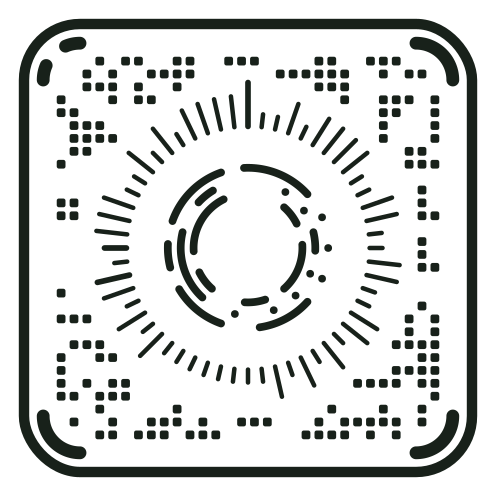
Profile 0 is drawn for screens and generous prints, with fine rays and small ring dots. Printed small, those fine marks are the first to go: ink spreads, dots merge and light gaps close.
Profile 0.1, the print layout, keeps every mark and every gap at about one module or more. It needs more modules for the same content, version 4 instead of version 1 here, but each mark is sturdier, and in print simulations the same content decodes at roughly half the width. Readers recognise either layout on their own.
How CKey differs from QR.
QR is mature, standardised and read by nearly every phone camera. CKey learns from it and makes different choices. Here is the plain comparison.
Who can read it
Phone cameras read QR natively. None reads CKey yet: you need the Open CKey scanner or an app built with a CKey SDK. If everyone must be able to scan your code today, use QR.
Maturity
QR has decades of use in the field. CKey is pre-1.0, its format can still change between builds, and real-camera performance hasn’t been measured yet.
The specification
QR is an ISO standard. CKey’s specification is a versioned draft published free in its repository, and the reference core and SDKs are MIT-licensed.
Shape and sizes
QR uses three square finder patterns and 40 versions on one grid. CKey uses a rounded frame, four corner arcs and a circular dial, and its 31 versions keep the same skeleton, so a small code and a dense one look like the same family.
Error correction
The same idea in both: Reed–Solomon codes at four levels named L, M, Q and H. CKey spreads each byte across the whole symbol, which resists stripes and smudges but leaves less room for a large logo today.
Design
Both can be branded. CKey’s style rules fix what readers measure and change only how marks are painted, and a style is certified only after a modelled camera scan decodes it.
An open project.
The CKey specification, the C++20 core, the SDKs for Swift, the web, Android and .NET, and the command-line tool are open source under the MIT licence. You can read, build, fork and ship them without this site.
openckey.org is the project’s hosted site, run by Clear Key Solutions. Its website and service code are proprietary, all rights reserved; the packages it offers for download are the same MIT-licensed builds.
- The CKey repository on GitHub, where development happens and the specification lives.
- The changelog for this site, with a link to the core’s.
- Private security reports, for anything that shouldn’t be public.